VWorld USDT Deposit Tutorial
Follow the illustrated steps below to usdt deposit on VWorld (vworld88my.com) in just a few taps.
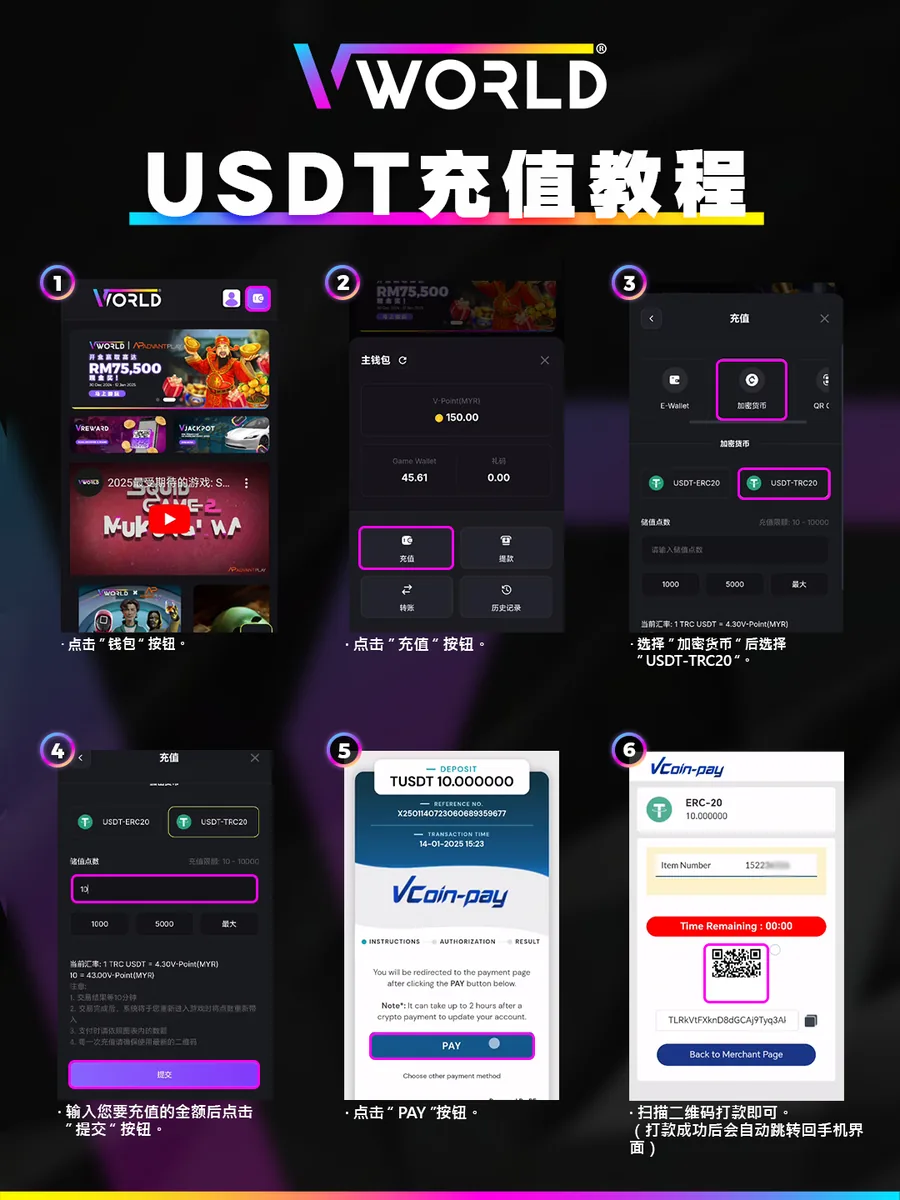
Step-by-Step
- Tap “Wallet”.
- Tap “Deposit”.
- Select “Crypto”, then “USDT-TRC20”.
- Enter the amount and tap “Submit” (the current rate is shown, e.g. 1 USDT ≈ 4.30 V-Point).
- Tap “PAY” on the VCoin-pay page.
- Scan the QR code and pay to the address — your account updates automatically.
A crypto payment can take up to 2 hours to update your account.