VWorld Android: Allow Pop-Ups Tutorial
Follow the illustrated steps below to android: allow pop-ups on VWorld (vworld88my.com) in just a few taps.
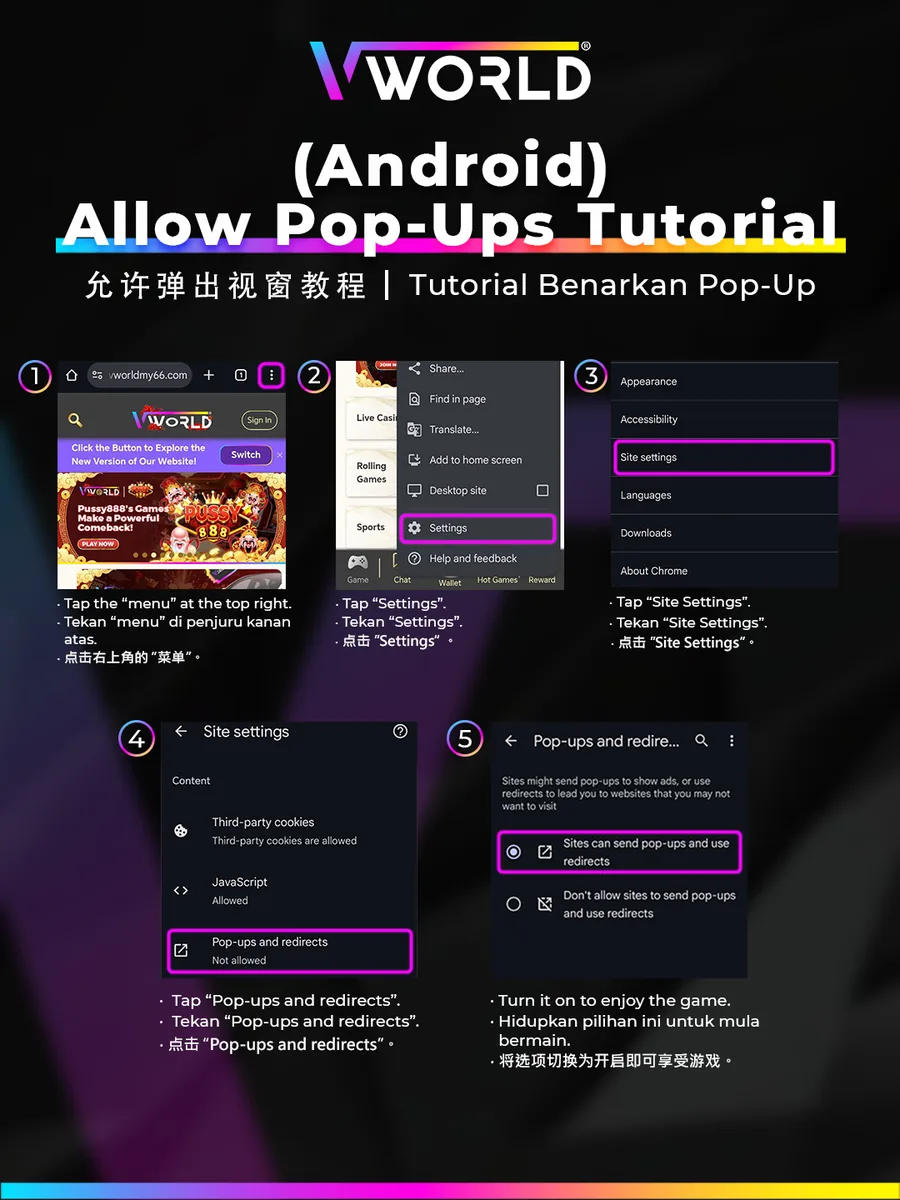
Step-by-Step
- Tap the menu (⋮) at the top right of Chrome.
- Tap “Settings”.
- Tap “Site settings”.
- Tap “Pop-ups and redirects”.
- Turn it on so the site can send pop-ups and redirects.
Allowing pop-ups lets games launch correctly.