VWorld iOS: Allow Pop-Ups Tutorial
Follow the illustrated steps below to ios: allow pop-ups on VWorld (vworld88my.com) in just a few taps.
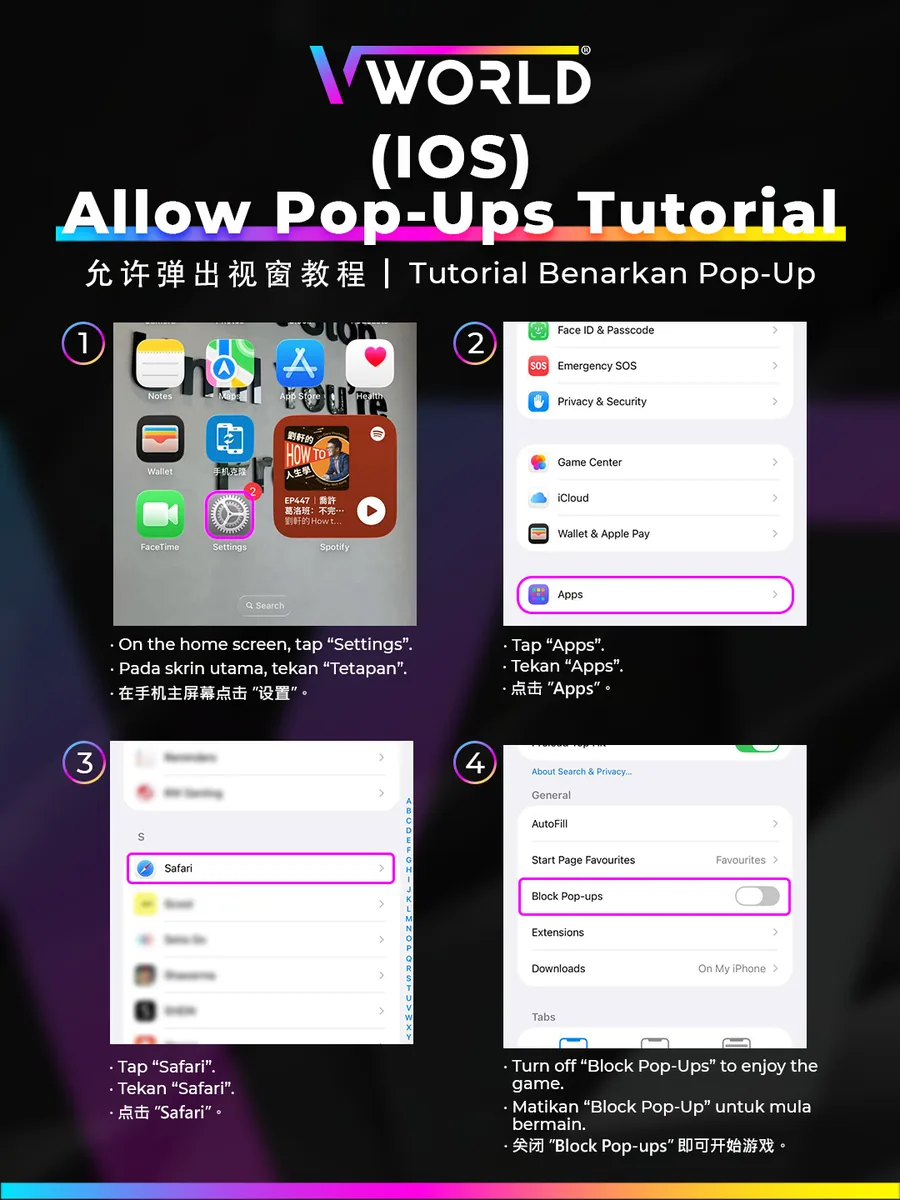
Step-by-Step
- On the home screen, tap “Settings”.
- Tap “Apps”.
- Tap “Safari”.
- Turn off “Block Pop-ups” to enjoy the games.
On older iOS, Safari settings are directly in Settings → Safari.